
Your Website Has a Front Gate. Does Googlebot Have the Map?
Picture your website as a large castle. It has dozens of rooms and hidden corners. Some doors are open. Others are locked. Now imagine inviting colleagues over without handing them a map.
That is exactly what happens when you ignore sitemaps in SEO.
A sitemap is the map you hand over at the front gate. It tells search engines and LLMs that your website is active, where to go, what matters, and what to ignore. Without one, crawlers guess. With a poor one, they get misled.
Many site owners treat sitemaps as a one-time task. They generate it at launch and forget about it. That habit quietly damages performance. A neglected sitemap filled with broken links, redirects, or incorrectly excluded pages does not sit idle. It wastes crawl budget and sends mixed signals to search engines.
In this article, you will learn how to build, audit, and fix your sitemap to improve crawl efficiency, avoid indexation issues, and give search engines clear, accurate signals about your site.
Sitemap Formats, Rules, and the Non-Negotiables
This is not advanced SEO. It is foundational. Yet the foundation is precisely where things most often go wrong. A well-managed sitemap improves crawl efficiency, speeds up indexation, and gives search engines a clear sense of page priority.
Format Matters
Not all sitemaps are built the same, and they do not all serve the same purpose. Here is a simple breakdown.
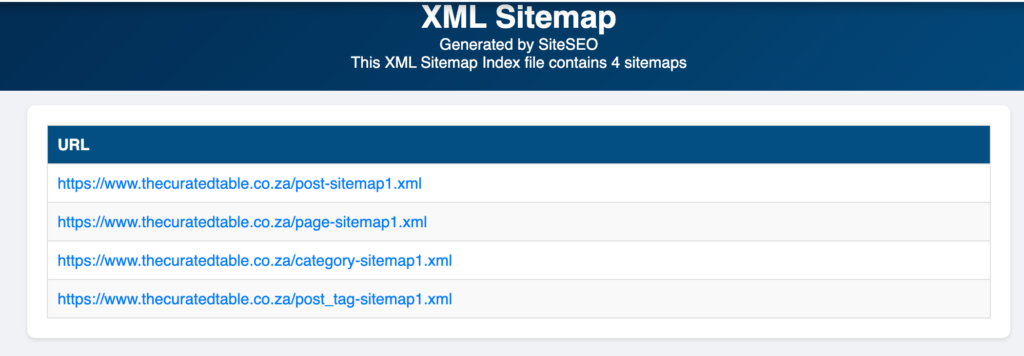
1. XML Sitemap
The XML sitemap is the industry standard and is used by most websites. It is a structured file that lists URLs alongside optional metadata such as last modification dates. This is your primary tool.
2. RSS or Atom Feed
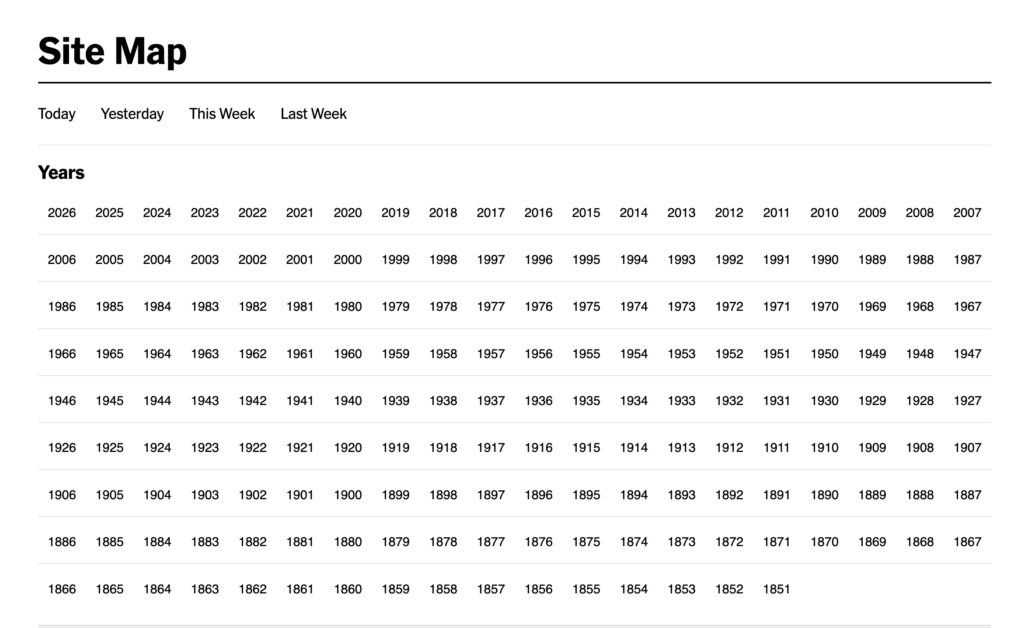
Best suited for sites that publish content frequently, such as blogs or news platforms like The New York Times. It highlights fresh content but does not replace a full sitemap.
3. Text Sitemap
A basic list of URLs, one per line, with no metadata. Only useful for very small sites.
If you are doing serious SEO, XML is your default.
The XML SItemap Technical Must-Haves
A sitemap is only useful if it is built correctly. The following are non-negotiable.
1. UTF-8 Encoding
Every sitemap must use UTF-8 encoding. This ensures all characters are readable. Without it, special characters can break the file silently.
2. Absolute URLs Only
Every URL must be complete. For example:
https://yourdomain.com/page
Not: /page
Search engines need the full path to locate your content.
3. The 50/50 Rule
A single sitemap cannot exceed 50,000 URLs or 50MB in size. If your site is larger, you need a sitemap index file.
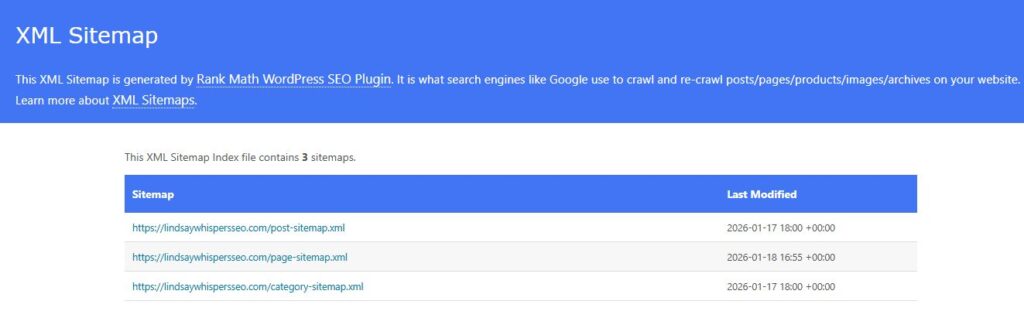
A sitemap index file is a master file that points to multiple individual sitemap files. This is how large sites stay organised without overwhelming crawlers.
The XML Sitemap Hygiene Checklist
Sitemaps do not fail at creation. They fail in maintenance. This checklist is straightforward, but it is where real authority is built. Anyone can generate a sitemap. Very few maintain one properly.
Use this checklist to get the most out of yours.
1. 200 OK Pages Only
Every URL in your sitemap must return a 200 OK status. Remove anything returning a 404 or a 301. These responses waste crawl budget and signal to search engines that your site is poorly maintained.
2. Canonical Alignment
If a page uses a canonical tag pointing to another URL, remove it from the sitemap. You are giving conflicting instructions. The sitemap says “index this.” The canonical tag says “do not.” Search engines do not respond well to mixed signals.
3. No-Index Exclusion
Never include pages marked with a no-index directive. You are inviting search engines to pages you have already blocked. Let the no-index tag do its job without interference.
4. Honest Use of the Lastmod Tag
The lastmod tag should reflect real updates only. Change it when meaningful content has been updated, not as a trick to prompt recrawling. Artificial updates may produce short-term results, but over time, they reduce search engines’ trust in your signals.
Bridging the Gap Between Crawling and Indexing
A common mistake among SEOs is confusing crawling with indexation. They are not the same thing.
A page can be crawled without being indexed.
In Google Search Console, you will often encounter the status: “Crawled, currently not indexed.” This means Googlebot visited the page but chose not to include it in the index.
On a client’s website I was managing, several pages sat in this state for weeks before I identified the issue. They were correctly listed in the sitemap. Technically, everything looked fine. But the content was weak. The sitemap was not the problem.
The key lesson here is this: a sitemap guarantees discovery, not indexation.
Once a page is discovered, Google decides whether it deserves to be shown in search results.
This is where internal linking becomes critical. Think of your sitemap as the map and internal links as the roads. A page that is listed in your sitemap but not connected to anything will struggle to gain importance.
Strong internal linking supports crawl efficiency and reinforces page value. Both must work together.
Submitting, Validating, and Reading the Data of an XML Sitemap
1. The Robots.txt Entry
Before anything else, declare your sitemap in your robots.txt file.
Add this line:
Sitemap: https://yourdomain.com/sitemap.xml
This tells all crawlers exactly where to find your sitemap. It takes seconds and removes unnecessary guesswork.
2. Submitting via Google Search Console (GSC)
The process is straightforward:
- Log into your GSC account
- Select your property
- Go to the Sitemaps section
- Enter your sitemap URL (Google will have already populated your domain ending with a forward slash. Simply add sitemap_index.xml after it)
- Click Submit
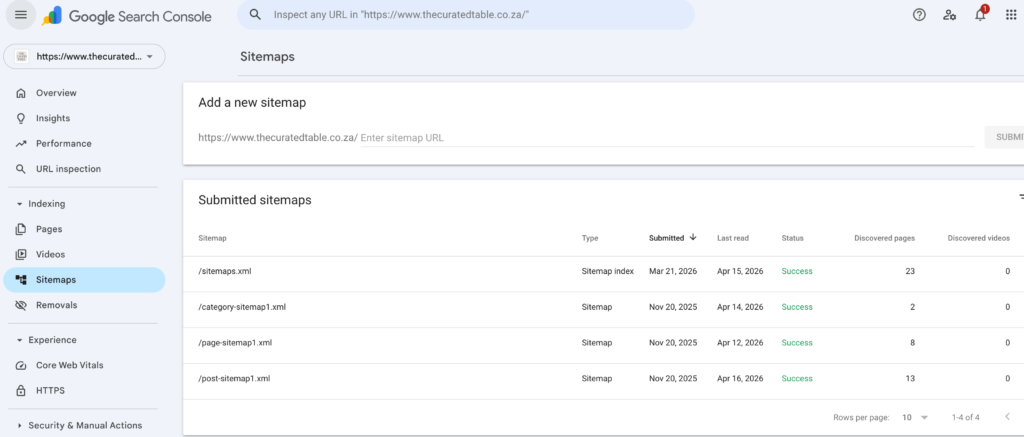
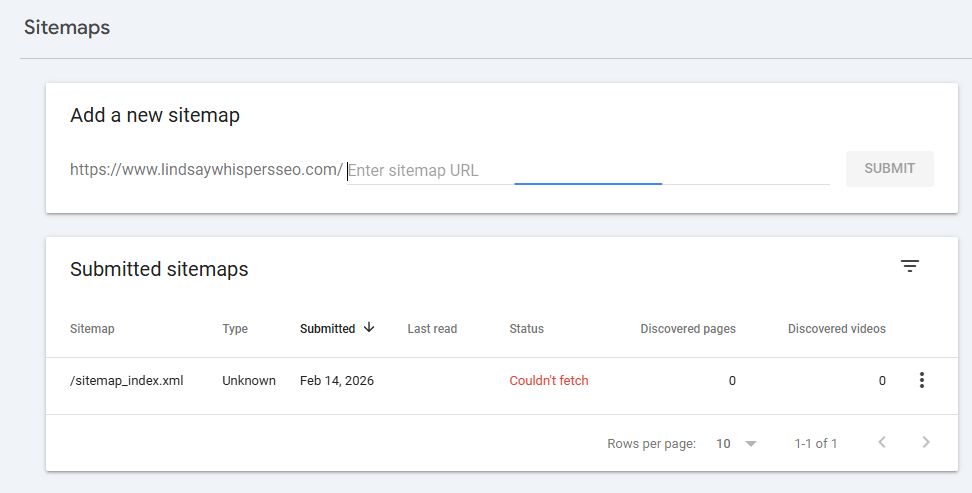
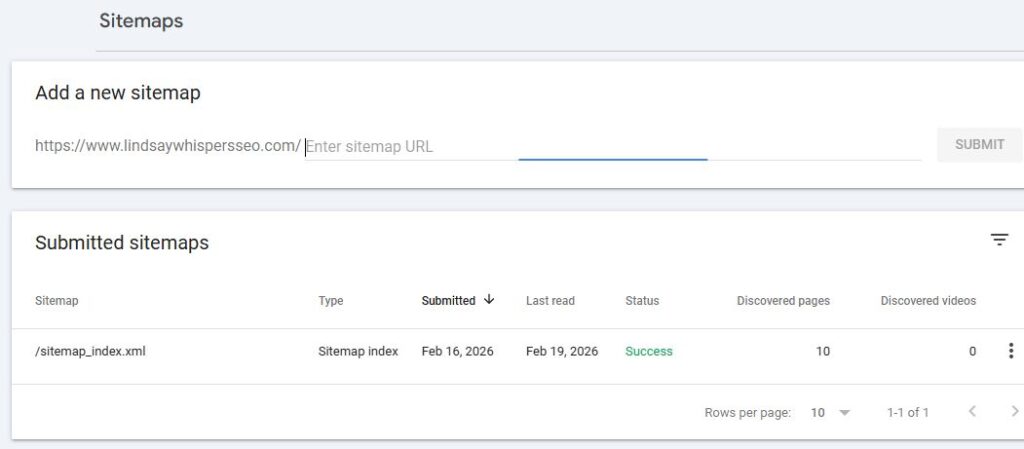
Note: After submitting your sitemap on GSC, you may initially see an error message. Refresh the page, and it should resolve and display as “Successful.”
3. Submitting via Bing Webmaster Tools (BWT)
- Log into your BWT account
- Navigate to the Sitemap section
- Enter your full sitemap URL: www.yourdomain.com/sitemap_index.xml
- Click Submit
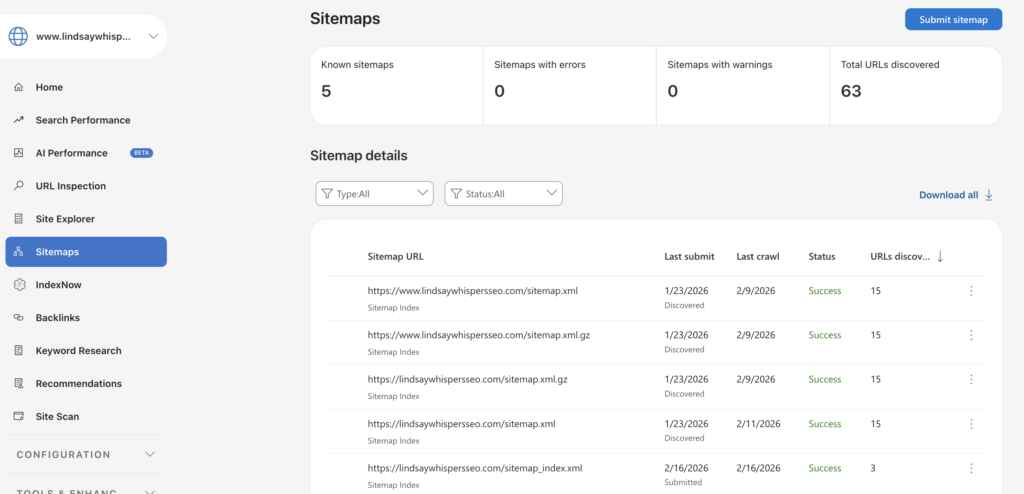
What matters most is reading the result. A “Success” status means your sitemap has been processed. An “Error” status means something is broken and needs attention.
XML Sitemap Submission Errors
Submitting a sitemap looks simple, but it is not always straightforward. Errors do occur.
These are the most common:
- The sitemap URL does not return a 200 status
- Malformed XML structure
- Encoding errors from a non-UTF-8 format
- Sitemap blocked by robots.txt
Each of these prevents search engines from reading your file properly.
I encountered one of these errors personally when setting up my sitemap on both GSC and BWT. The status never turned “Successful” after refreshing. The error persisted. I also tested the sitemap link directly in my browser, and it returned an error, even when I tried the alternate route via /sitemap.xml.
At that point, it was clear this was a technical problem requiring a fix.
How I Fixed My Sitemap Submission Error
Since I could not immediately identify the source of the error, I first used what I call the False Positive Error Approach: waiting 24 to 48 hours to see whether it resolved on its own. It did not.
Next, I tried the Permalink Setup Approach.
I navigated to the Permalink settings in WordPress and clicked “Save Changes” without altering any existing settings. The purpose was to flush out the glitch and give the sitemap a fresh opportunity to register correctly.
I then re-entered my domain/sitemap.xml into the browser, and it returned a positive result.
I submitted to both GSC and Bing Webmaster Tools, and both came back successful.
Conclusion
Technical SEO, at its core, is about reducing friction. Every broken link in your sitemap, every misplaced canonical tag, and every no-index page left in place adds unnecessary resistance. Over time, those small issues compound and slow down how search engines understand and trust your site.
A clean sitemap may not feel exciting, but it is essential. It shapes how your site is crawled, interpreted, and ultimately indexed. Get it right, and you make the entire process smoother for both search engines and your content team.



2 Responses